How to get your Instagram data
- 1
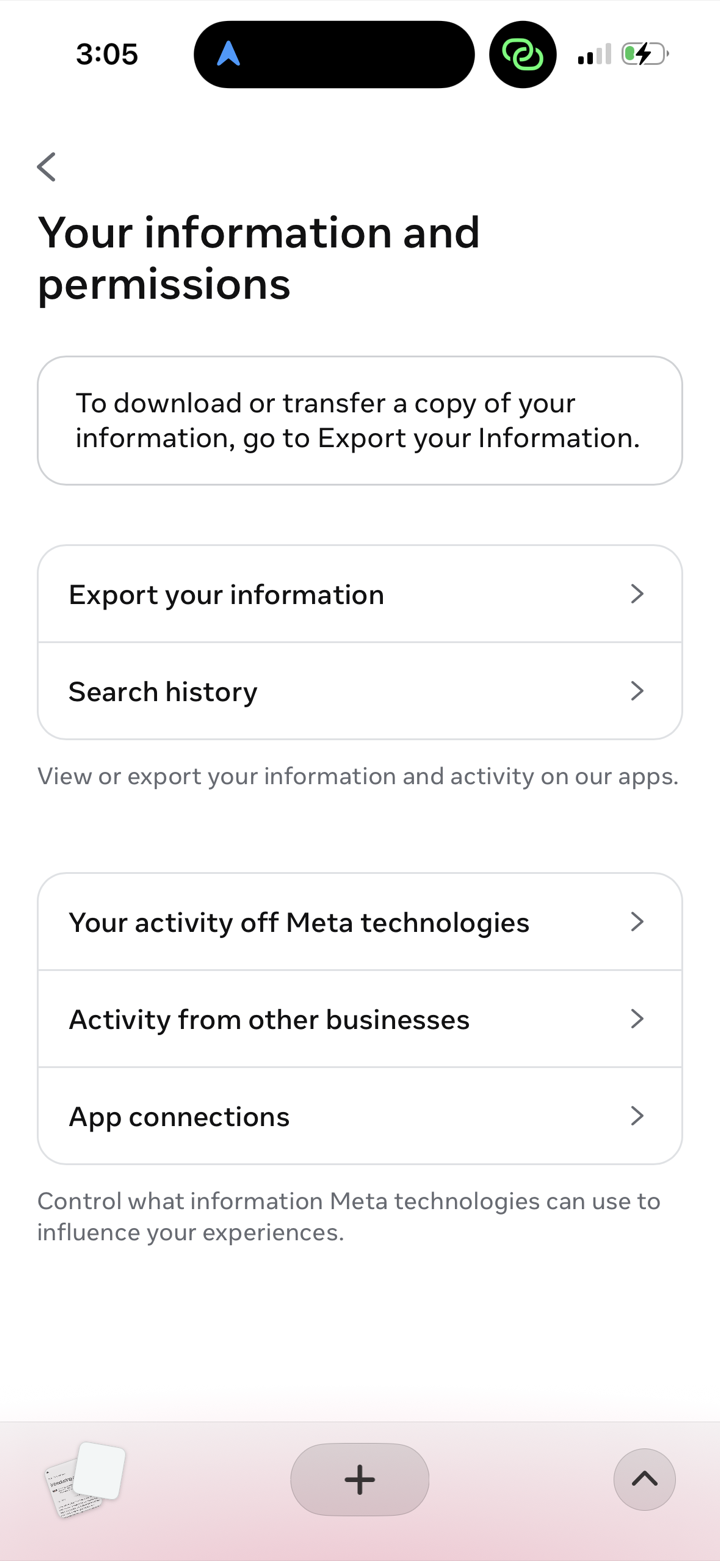
Open Instagram's Account Center → Your information and permissions, then tap Export your information.
- 2
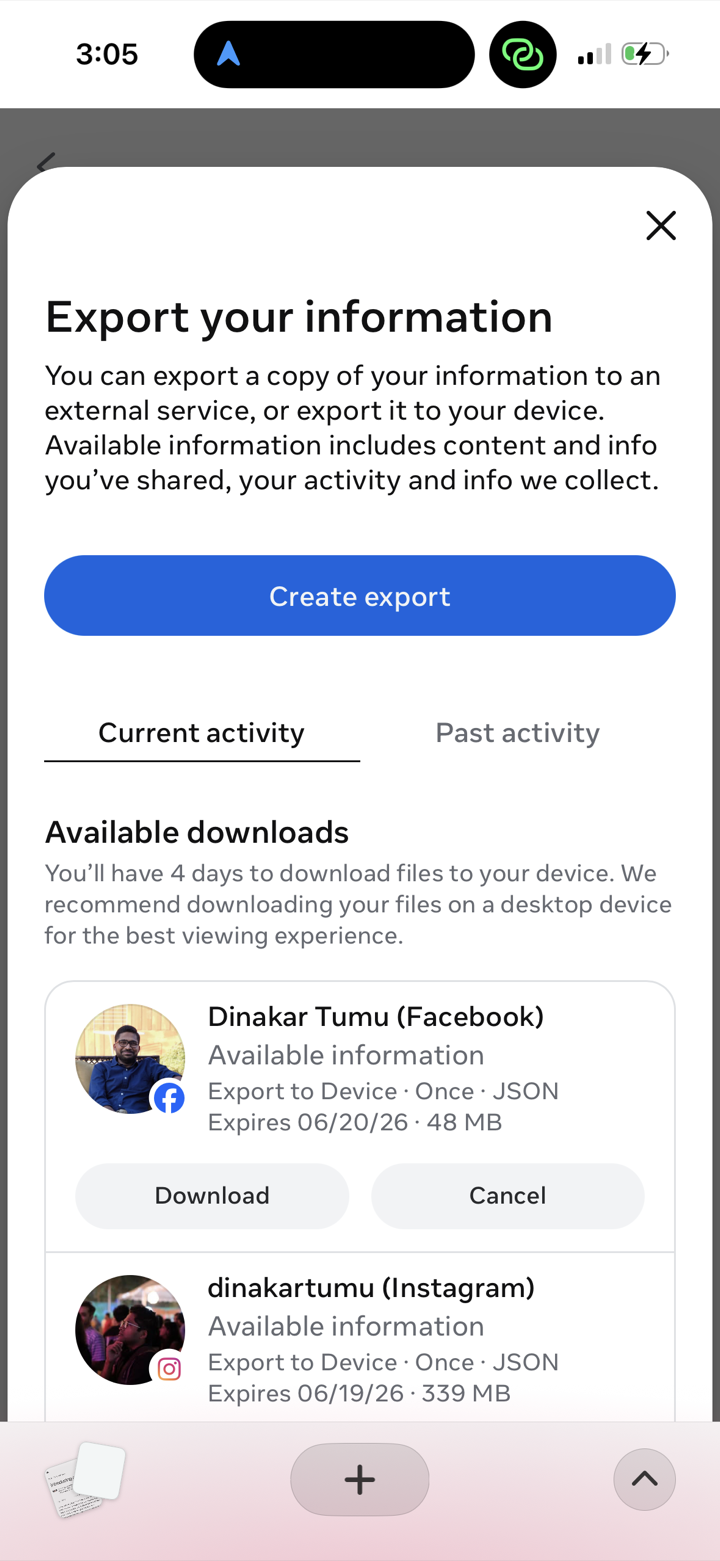
Tap Create export.
- 3
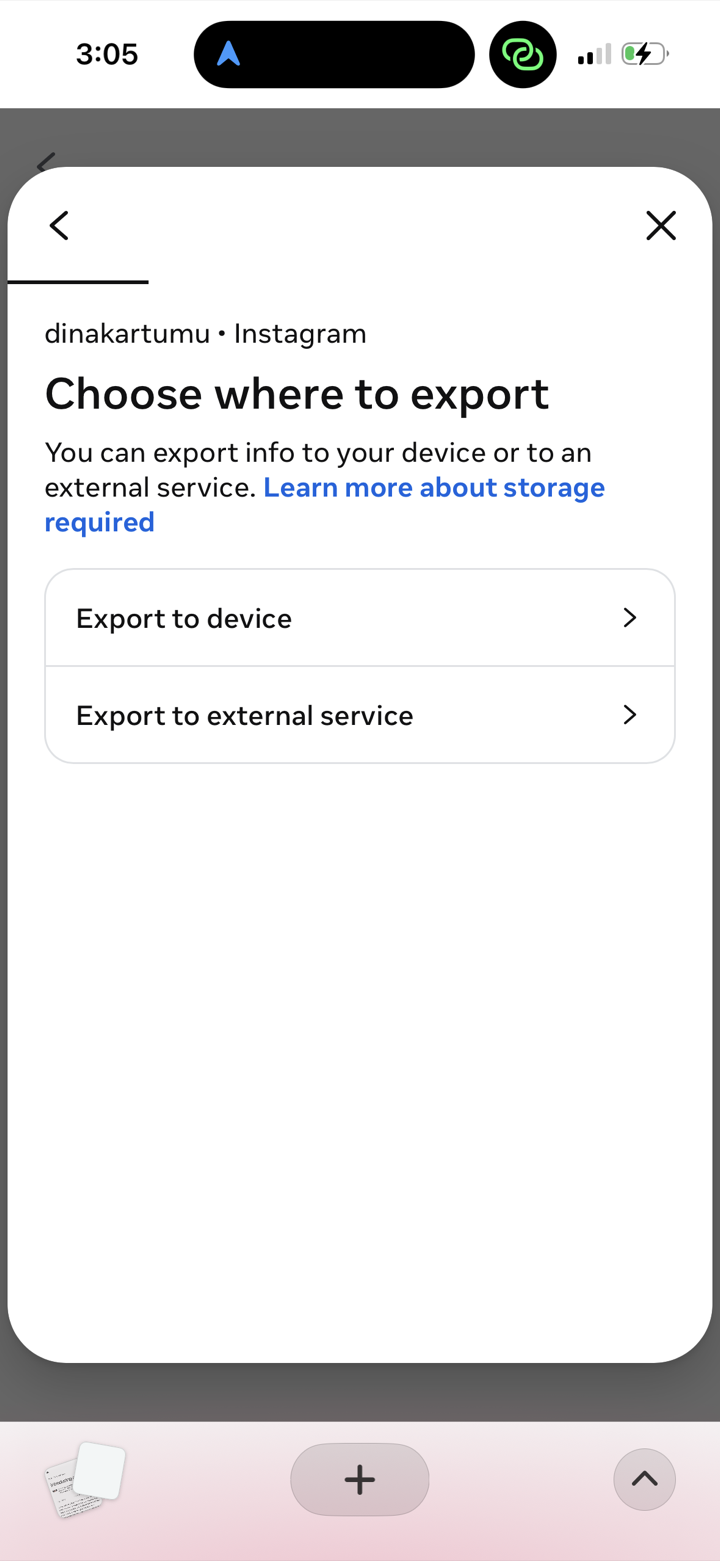
Choose Export to device.
- 4
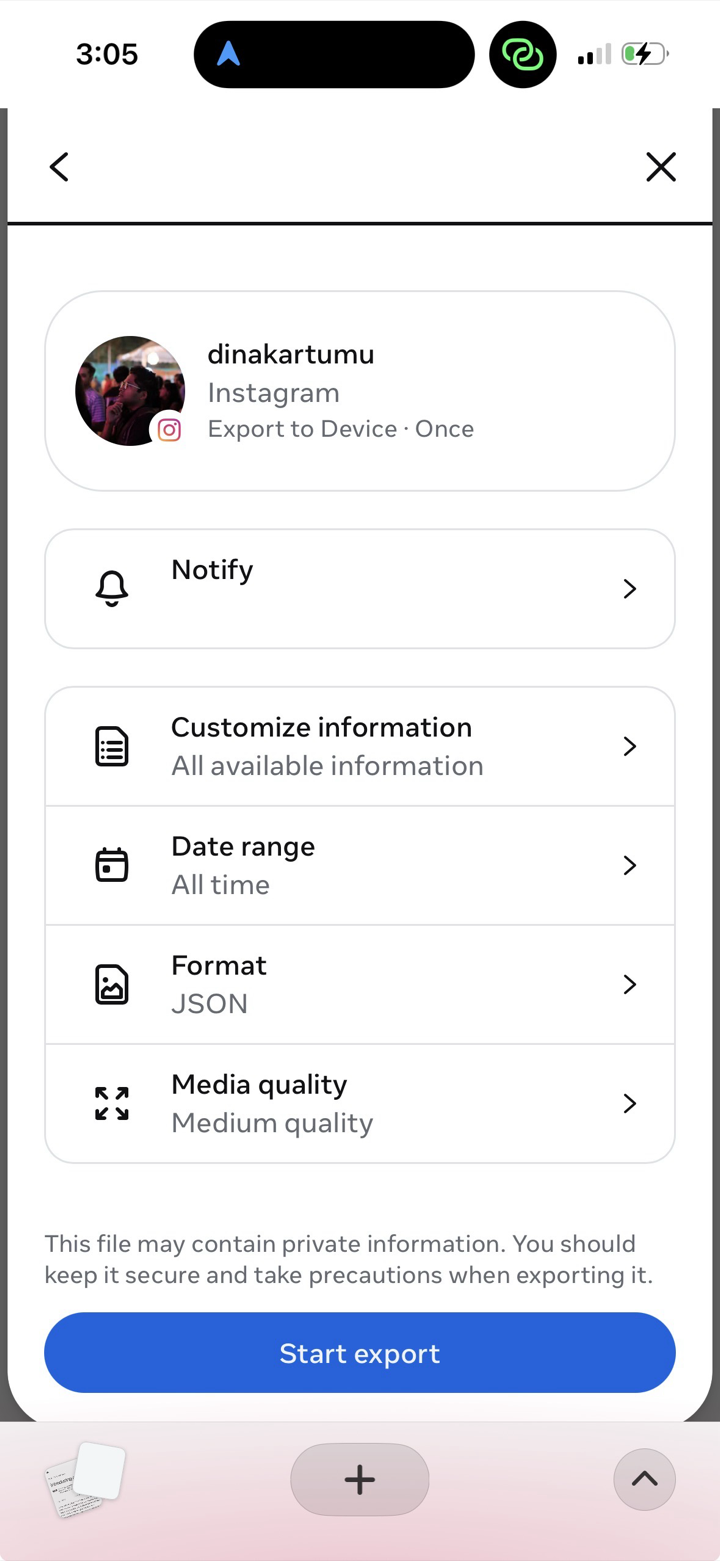
Set Date range to All time and Format to JSON, then tap Start export.
- 5
When the export is ready, download and unzip it, then in Nostaliga tap Import Archive and choose the folder.